

SOP: Managing the AI Team Data Hub and Pipeline Updates
Key Steps
1. Understand what the Data Hub is for 0:15
generated-image-at-00:00:15
- Treat the Data Hub as the central place to view team data and progress.
- Understand that the Data Hub is not limited to one function; it adapts to the team type.
- Use it to see the work being done by AI agents and the status of that work in one place.
2. Identify the right data model for the team 0:39
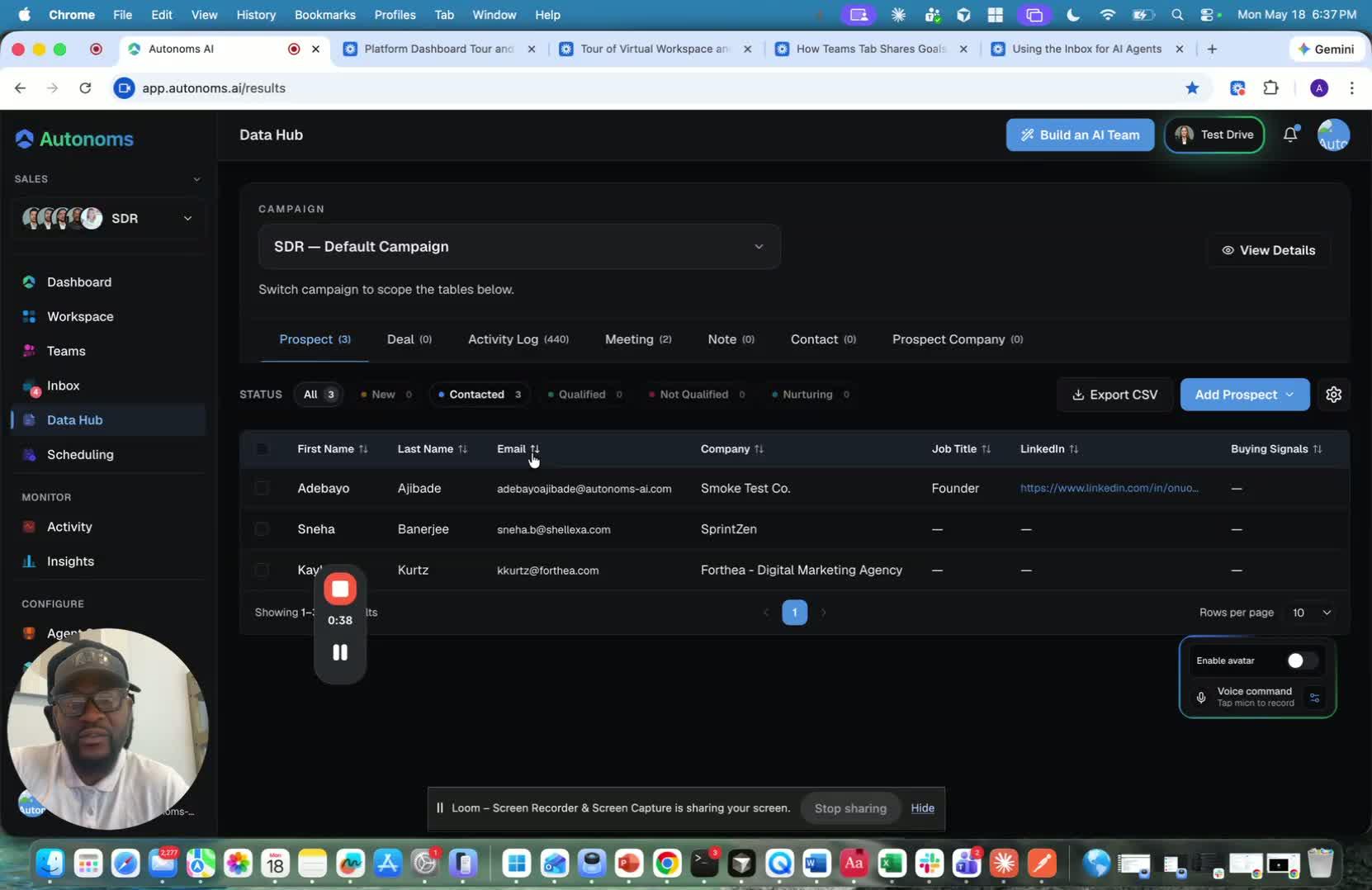
- Recognize that different teams need different versions of a Data Hub.
- For recruiting, the Data Hub may function like an ATS.
- For project management, it may resemble a tool like Linear or Atlassian.
- Confirm the team’s goals before deciding what data should appear in the hub.
3. Use the Data Hub as the team’s operational record 1:33
generated-image-at-00:01:33
- Let the platform generate the appropriate data tools based on team function.
- Review what data the team members need to understand the work being done.
- Use the Data Hub as the main source of truth for the team’s activity and progress.
4. Review the SDR Data Hub as a CRM 1:43
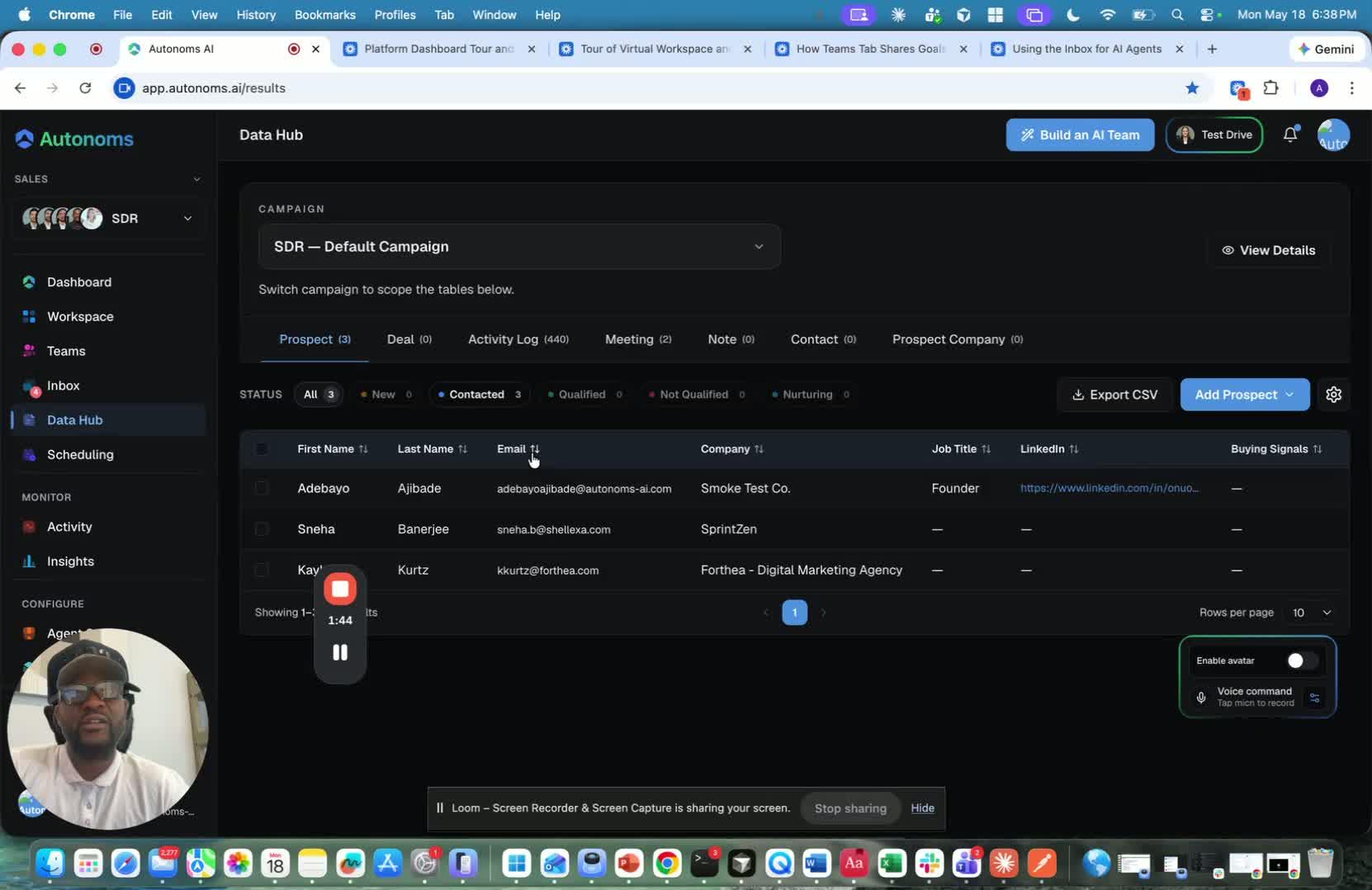
- If working with the SDR team, treat the Data Hub as the CRM.
- Expect the system to populate records continuously, 24/7.
- Check the hub regularly to see new data, updates, and pipeline changes.
5. Monitor prospect and deal stages 2:13
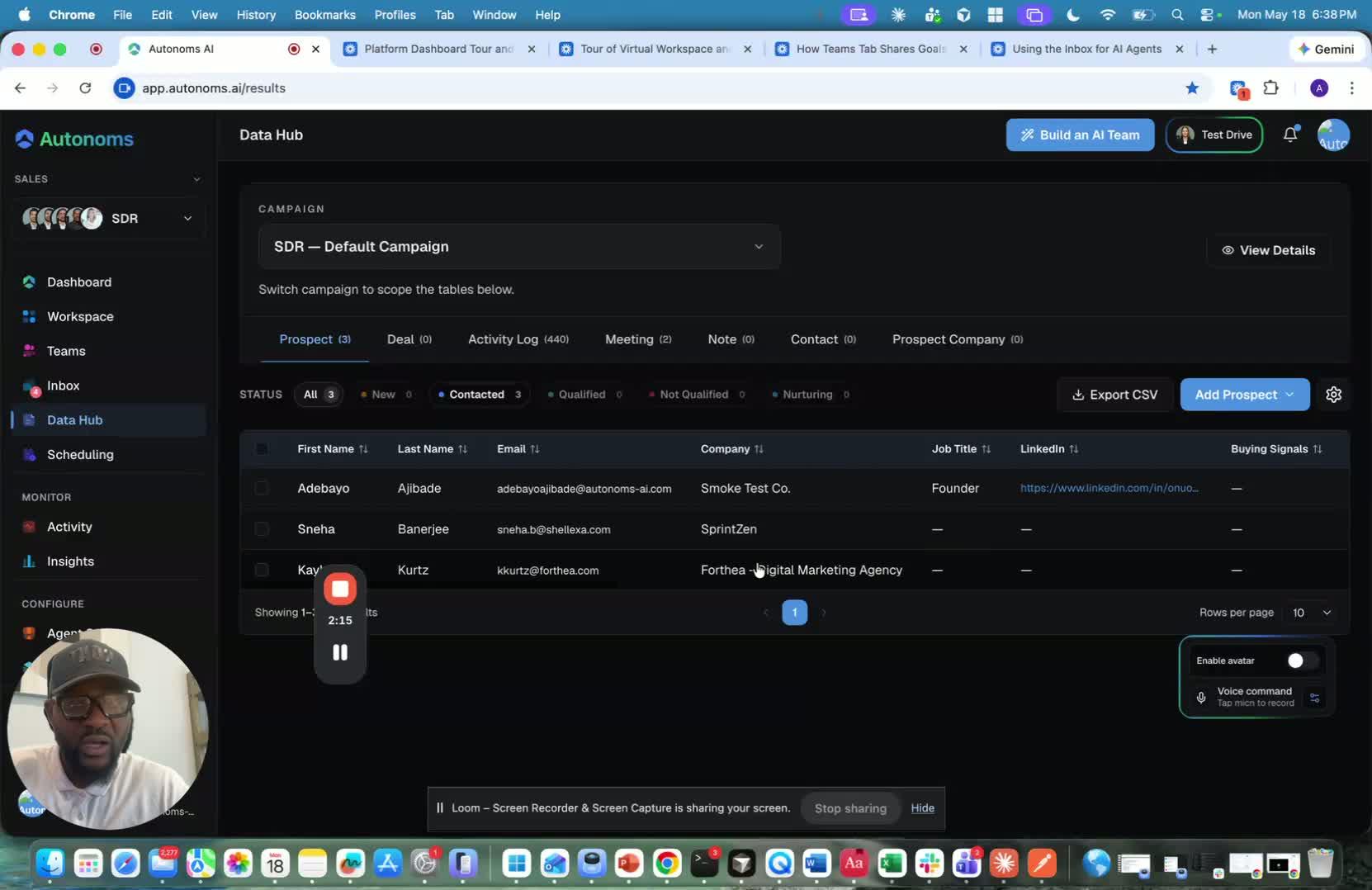
- Review prospect statuses such as contacted, qualified, replied, or disqualified.
- Track deal stages such as discovery, proposal, negotiation, won, and lost.
- Use these stages to understand where each lead or deal currently stands.
6. Verify meeting records and source information 2:47
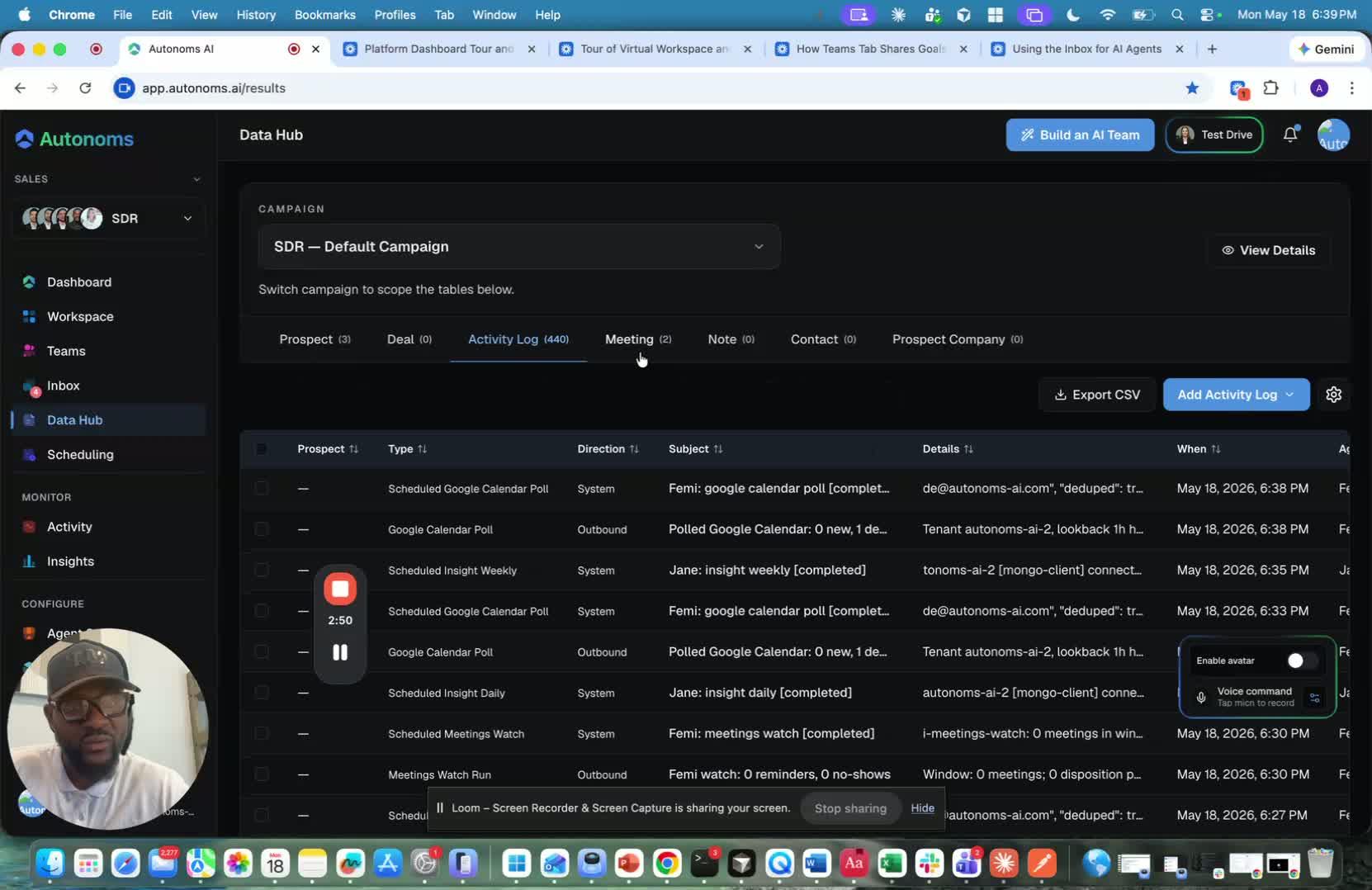
- Check that booked meetings appear automatically in the hub.
- Review the source of each record, such as Gmail or voice calls.
- Confirm that the system is capturing the full pipeline history from start to finish.
7. Switch between teams to view different data sets 3:19
generated-image-at-00:03:19
- Select another team to see a different version of the Data Hub.
- Expect the displayed data to change based on team goals and responsibilities.
- Use the hub to make sense of each team’s work in context.
8. Rely on AI agents to update records automatically 3:48
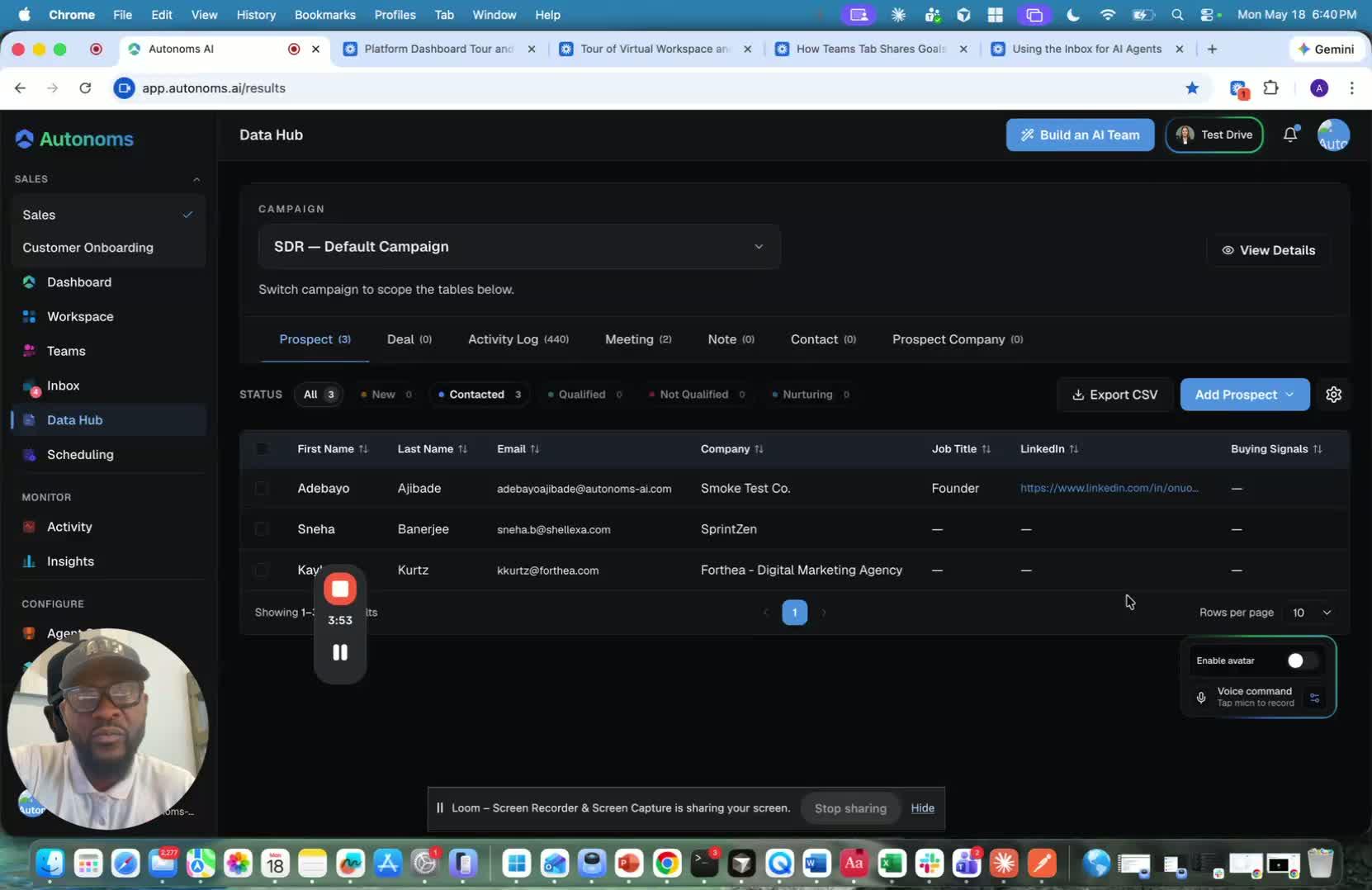
- Allow AI agents to move records through stages without manual updates.
- Understand that the system can update lead and deal statuses automatically.
- Use this automation to reduce manual CRM maintenance and improve transparency.
9. Use the Data Hub for team visibility and action planning 4:36
generated-image-at-00:04:36
- Review the hub to see what is happening today across the pipeline.
- Use the displayed statuses to decide what actions need attention.
- For example, if meetings are booked, make sure the right team members attend them.
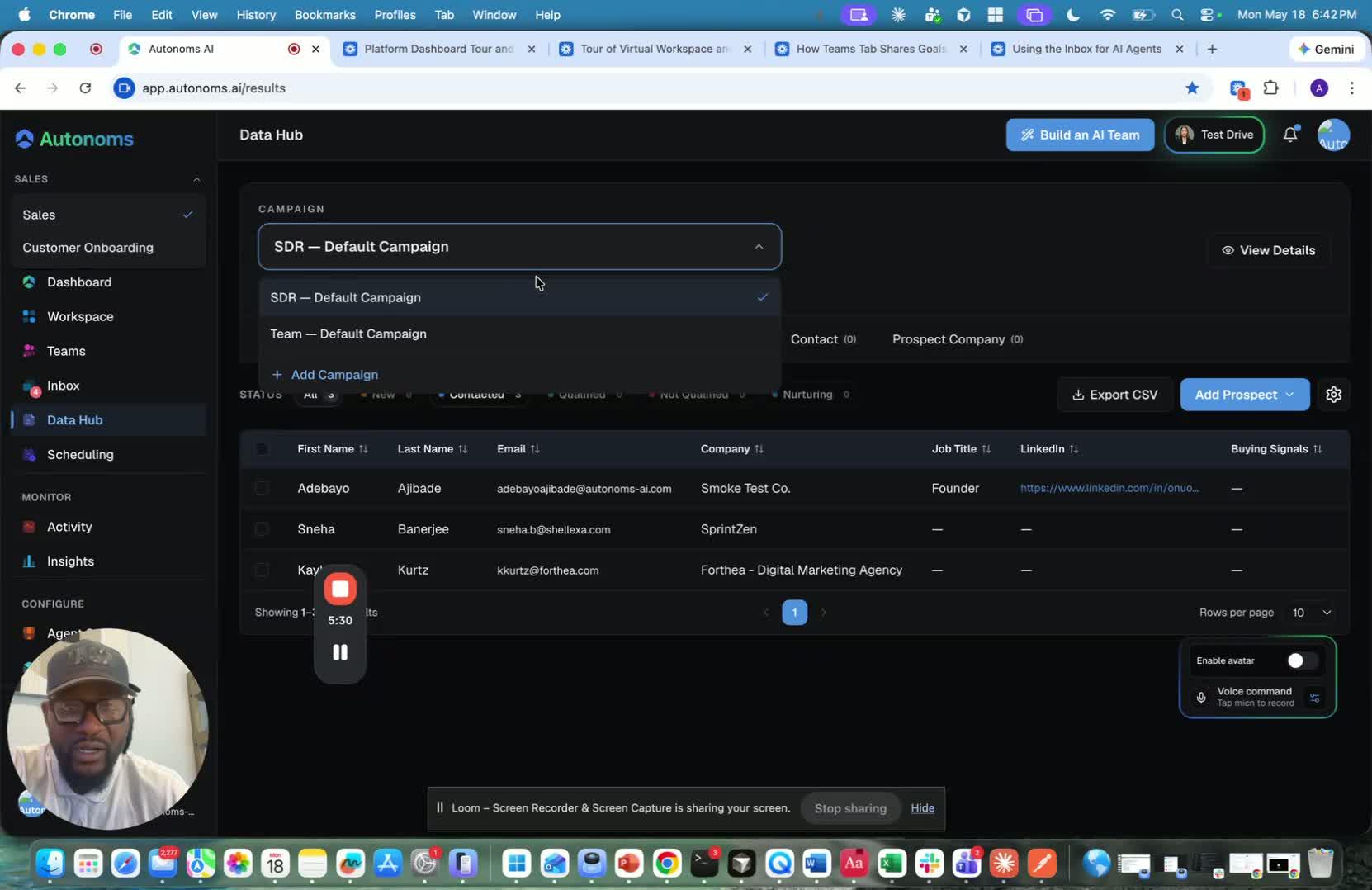
10. Add records manually when needed 4:57
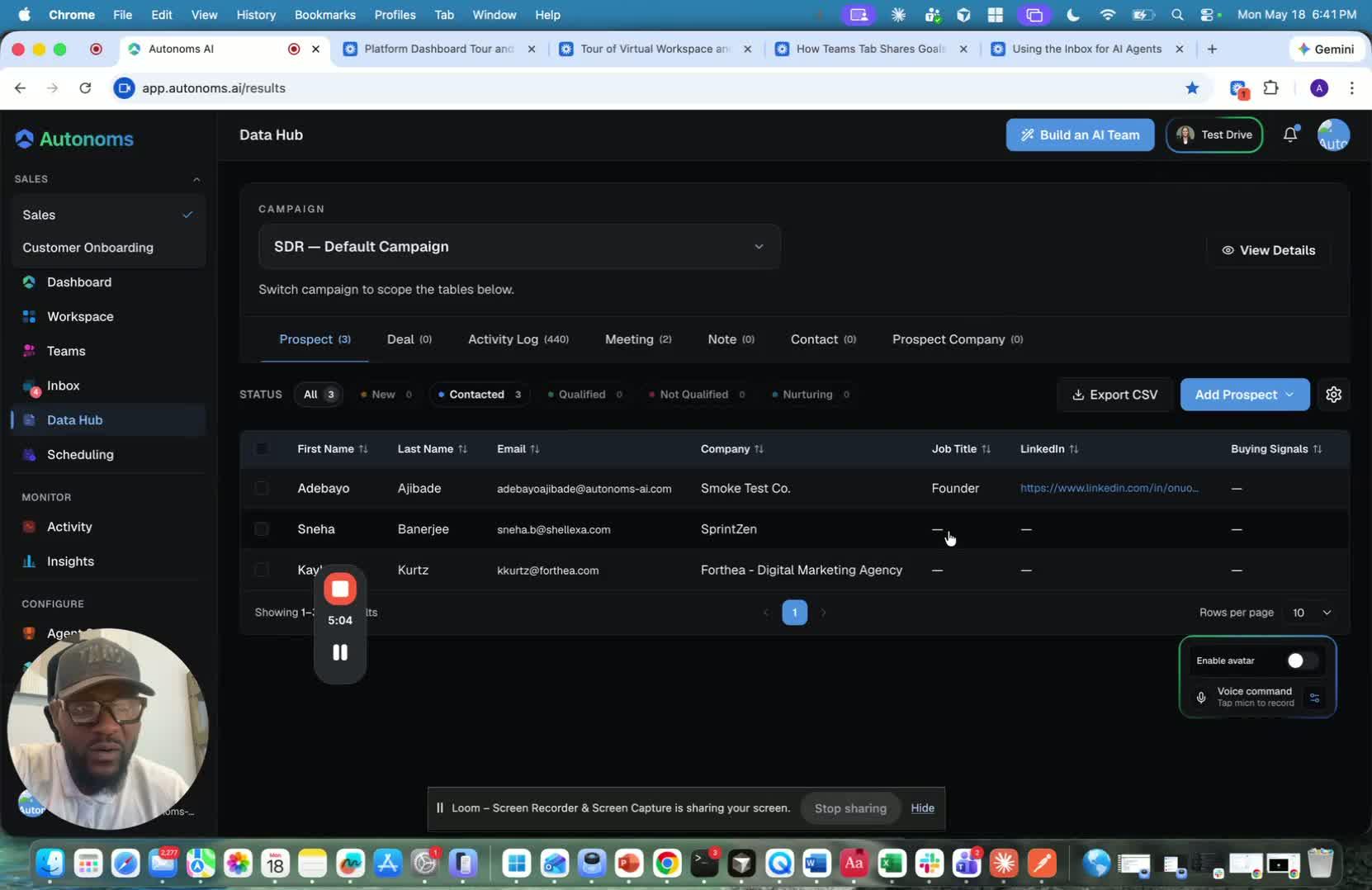
- Add new prospects manually if they are not already in the system.
- Use bulk prospect upload when entering multiple records at once.
- Add new campaigns when launching a new target or initiative.
- Let the AI agents take over from there and continue updating the records.
11. Let the system support both automation and manual control 5:22
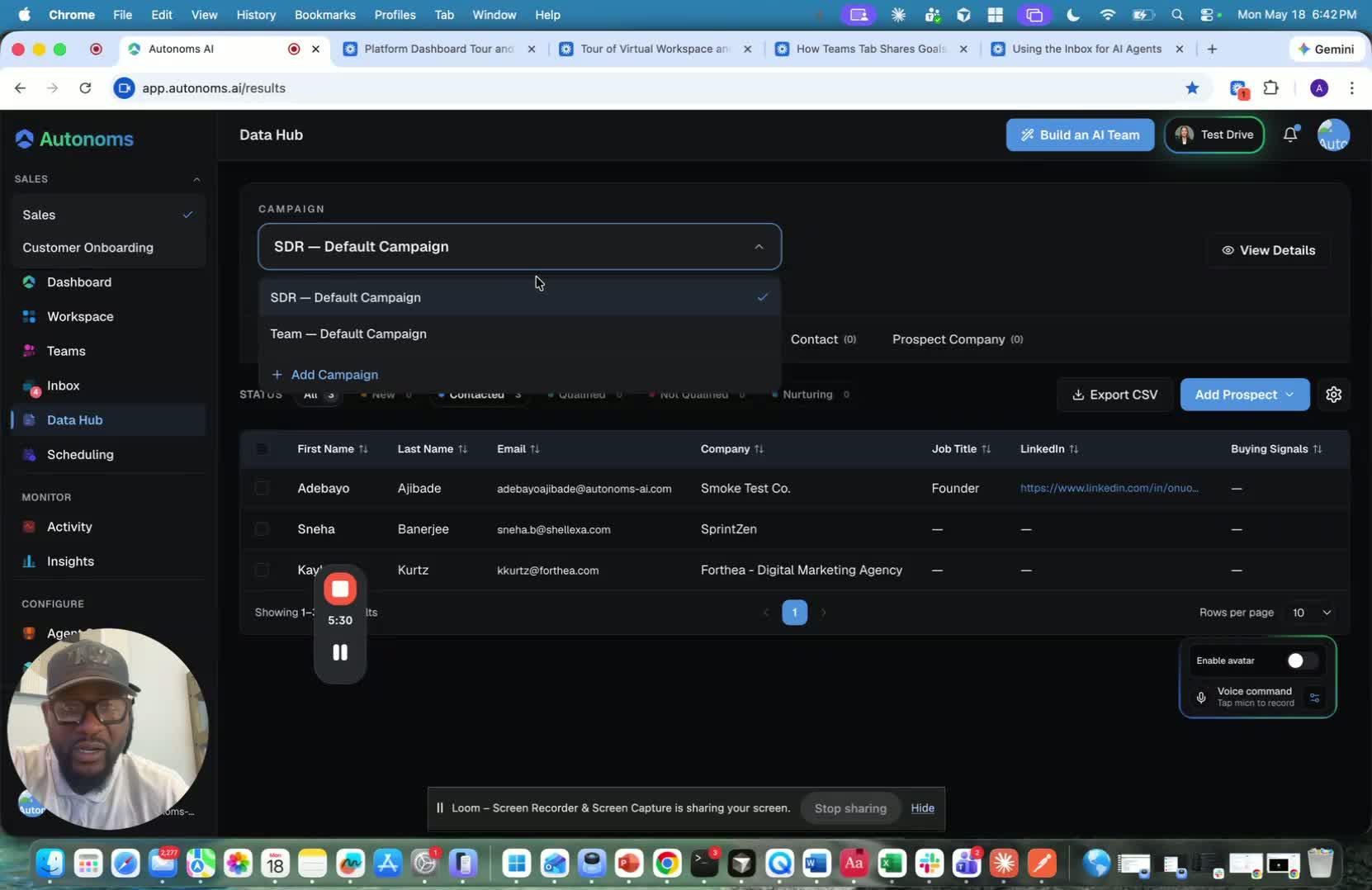
- Use the platform’s self-learning and self-improving behavior to reduce repetitive work.
- Remember that AI agents can work independently while still accepting manual input.
- Combine automation with manual updates when needed to keep the Data Hub accurate and useful.
Cautionary Notes
- Do not assume the Data Hub is the same for every team; it changes based on function and goals.
- Avoid relying on manual updates alone, since the system is designed to automate stage changes.
- Make sure manually added prospects or campaigns are accurate before submitting them.
- Review records regularly so automated updates do not go unnoticed or unverified.
Tips for Efficiency
- Check the Data Hub frequently to stay ahead of new meetings, replies, and stage changes.
- Use the automatic updates as the primary workflow and reserve manual edits for exceptions.
- Add prospects in bulk when possible to save time.
- Create new campaigns only when there is a clear target or use case.
- Encourage the team to use the Data Hub as the shared source of truth for pipeline visibility.
Link to Loom
https://loom.com/share/004f0e0e9e8e4779bba38a89900d446b
Overview of the Data Hub: Dynamic CRM-Like Workspace for AI Teams
1. Start with the Inbox as the control center for AI and human collaboration 0:00

- The inbox is where you can:
- Talk to your AI agents
- Talk to the human loop
- Debug agent behavior
- Ask what agents have done
- Change agent routines if needed
- This sets up the broader idea: the platform is designed for active collaboration and oversight, not just automation.
2. Understand what the Data Hub is meant to be 0:15
- The next feature is the Data Hub.
- In a sales context, this is essentially a CRM.
- The key idea is that the platform keeps it function-agnostic so it can adapt to different team types.
- Instead of hardcoding one tool, the system generates the right kind of data workspace based on the team’s purpose.
3. See how the Data Hub changes based on the team 0:39
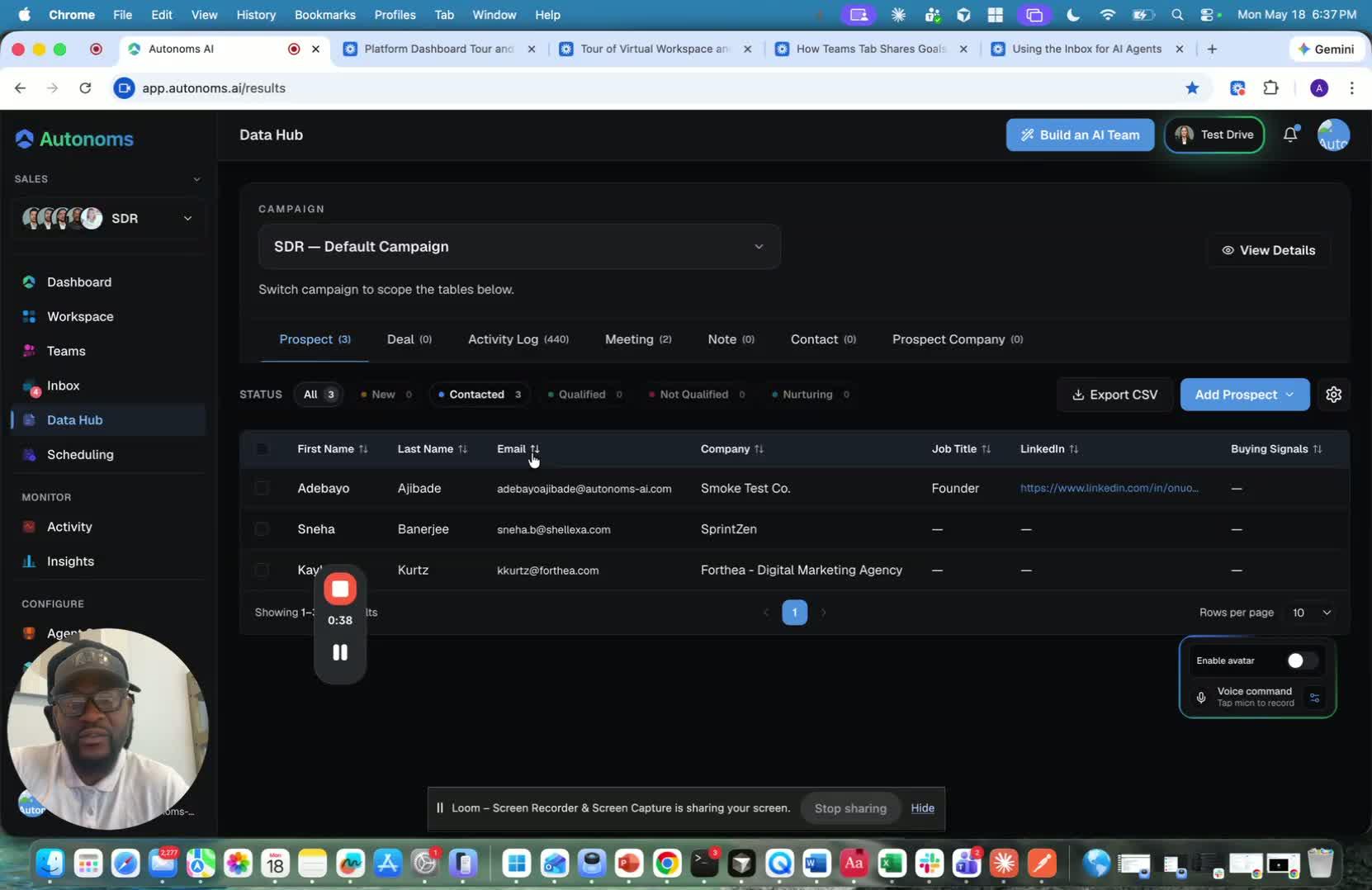
- Different teams get different versions of the Data Hub:
- Recruiting team → ATS-style hub for candidate tracking
- Project management team → Linear/Atlassian-style workspace
- Sales team → CRM-style hub
- The Data Hub is dynamically created based on:
- What the AI team members are doing
- What data a user needs to understand that work
- The goal is to generate the right data tool on the fly for each team.
4. Use the SDR team as the first real example 1:43
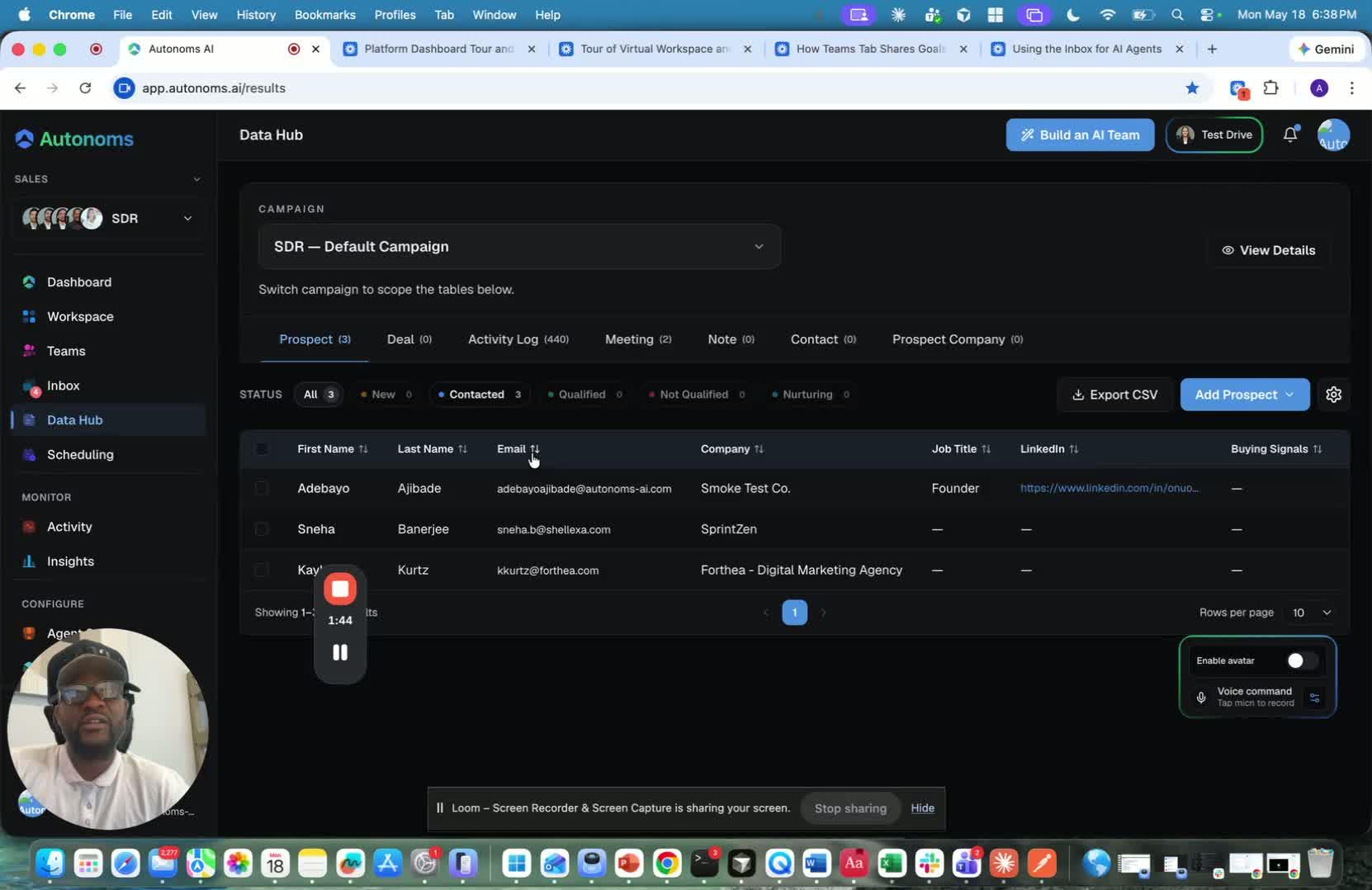
- The platform starts with an SDR use case.
- For this team, the Data Hub functions as the CRM.
- It is continuously populated in the background, 24/7.
- As time passes, new records and updates appear automatically without manual entry.
5. Track prospects, deals, and meetings automatically 2:13
generated-image-at-00:02:13
- The Data Hub shows the full pipeline in a structured way.
- For prospects, you can see stages like:
- Contacted
- Qualified
- Disqualified
- For deals, you can see stages like:
- Discovery
- Proposal
- Negotiation
- Won
- Lost
- You can also see booked meetings and where they came from, such as:
- Gmail
- Voice calls
- This gives a full view from first outreach to closed deal.
6. Use the Data Hub to understand what is happening across the team 3:19
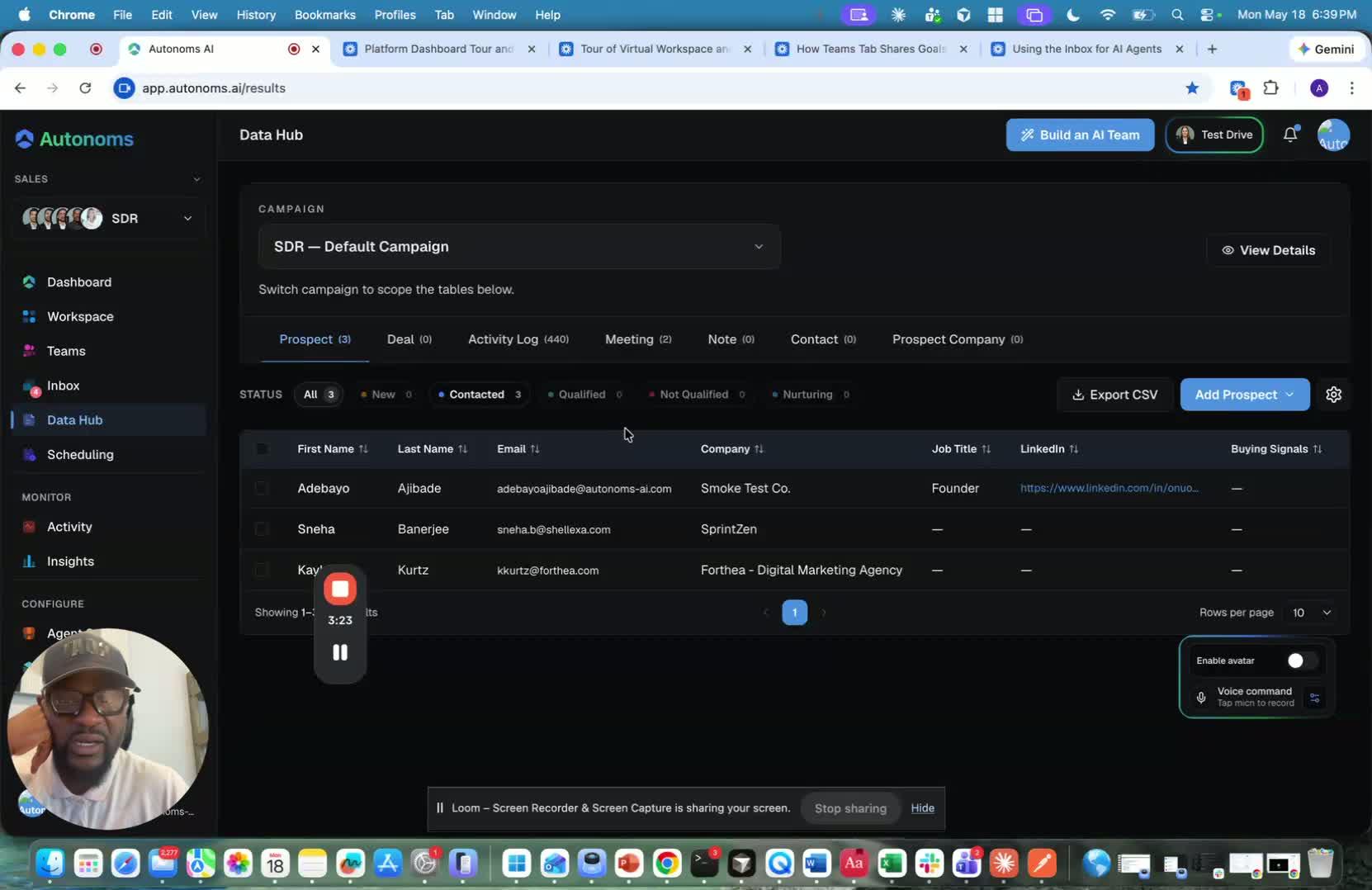
- The Data Hub is the place to see all the data needed to understand the team’s work.
- If you switch to another team, the Data Hub changes to show different relevant information.
- The system is not built by saying, “We need a CRM.”
- Instead, it builds the team first, and the CRM-like Data Hub emerges from that team’s needs.
7. Let AI agents keep the CRM updated for you 3:48
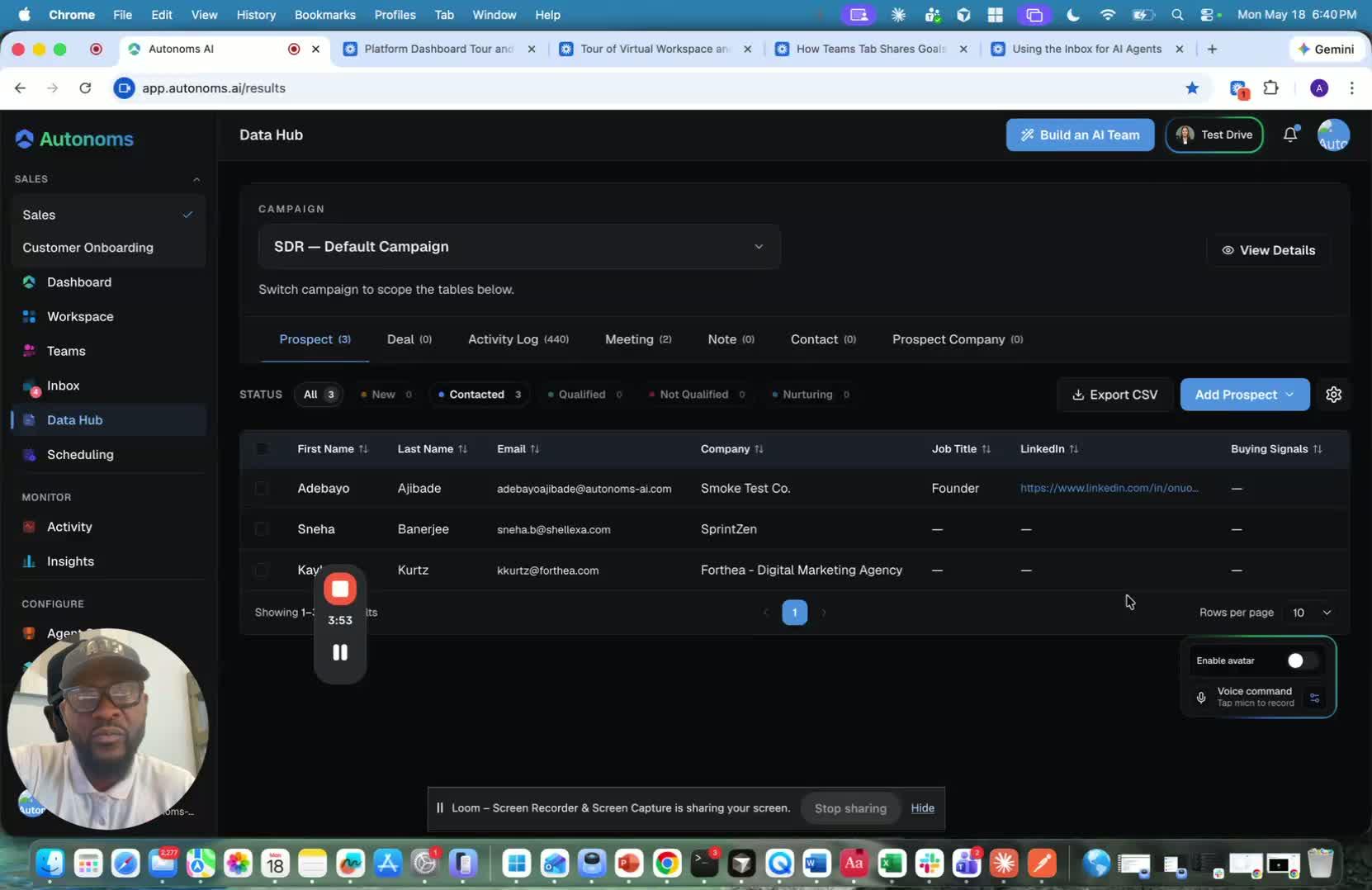
- A major benefit is that the Data Hub updates itself.
- Unlike traditional CRMs like Salesforce, HubSpot, or Zoho, you do not need to manually move records through stages.
- AI agents automatically update statuses such as:
- Prospect → Contacted
- Replied
- Qualified
- Disqualified
- Meeting booked
- This makes the pipeline transparent and always current for the whole team.
8. Still allow manual input when needed 5:00
generated-image-at-00:05:00
- Even though AI handles most of the work, users can still act manually.
- You can:
- Add new prospects
- Add prospects in bulk
- Create a new campaign
- Once added, the AI agents pick up the work from there.
- This means the system supports both automation and human control.
9. Key takeaway: the system is self-learning and self-coordinating 5:22
- The main message is that the agents are not only autonomous.
- They are also:
- Self-learning
- Self-improving
- Self-coordinating
- The Data Hub is the visible layer that shows all of this work in a clear, dynamic way.