

How to Complete the Primary CTA and Onboarding Setup
1. Choose your primary call to action 0:00
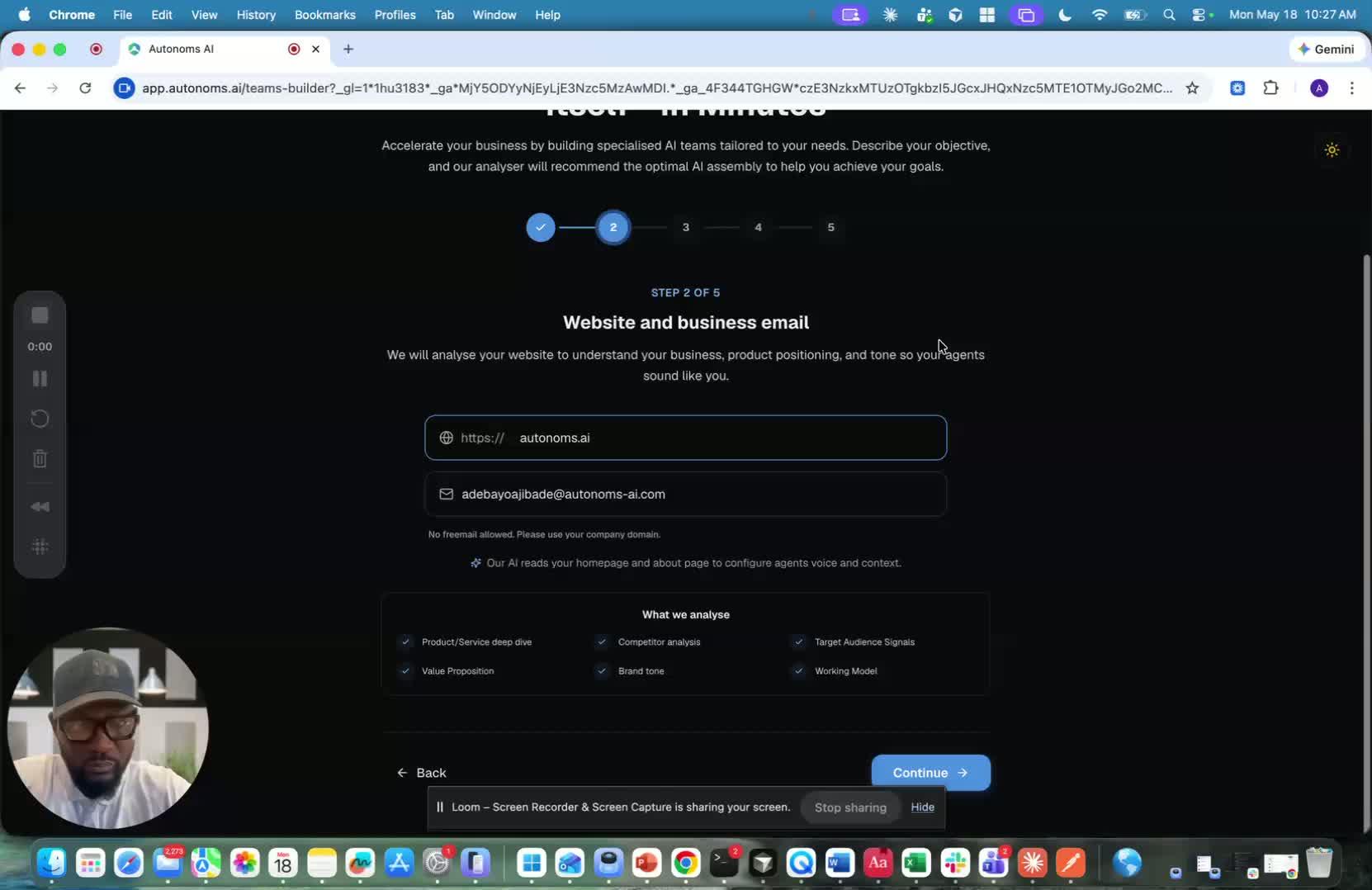
- Select the main action you want prospects to take to close the deal.
- Common options include:
- Book a discovery call
- Request a demo
- Sign up for a free trial
- Download a resource
- Visit your website
- Get a quote
- Join a waitlist
- Attend an event
- Donate to a course
- If your exact option is not listed, use Other when available.
2. Fill in your business and audience details 0:57
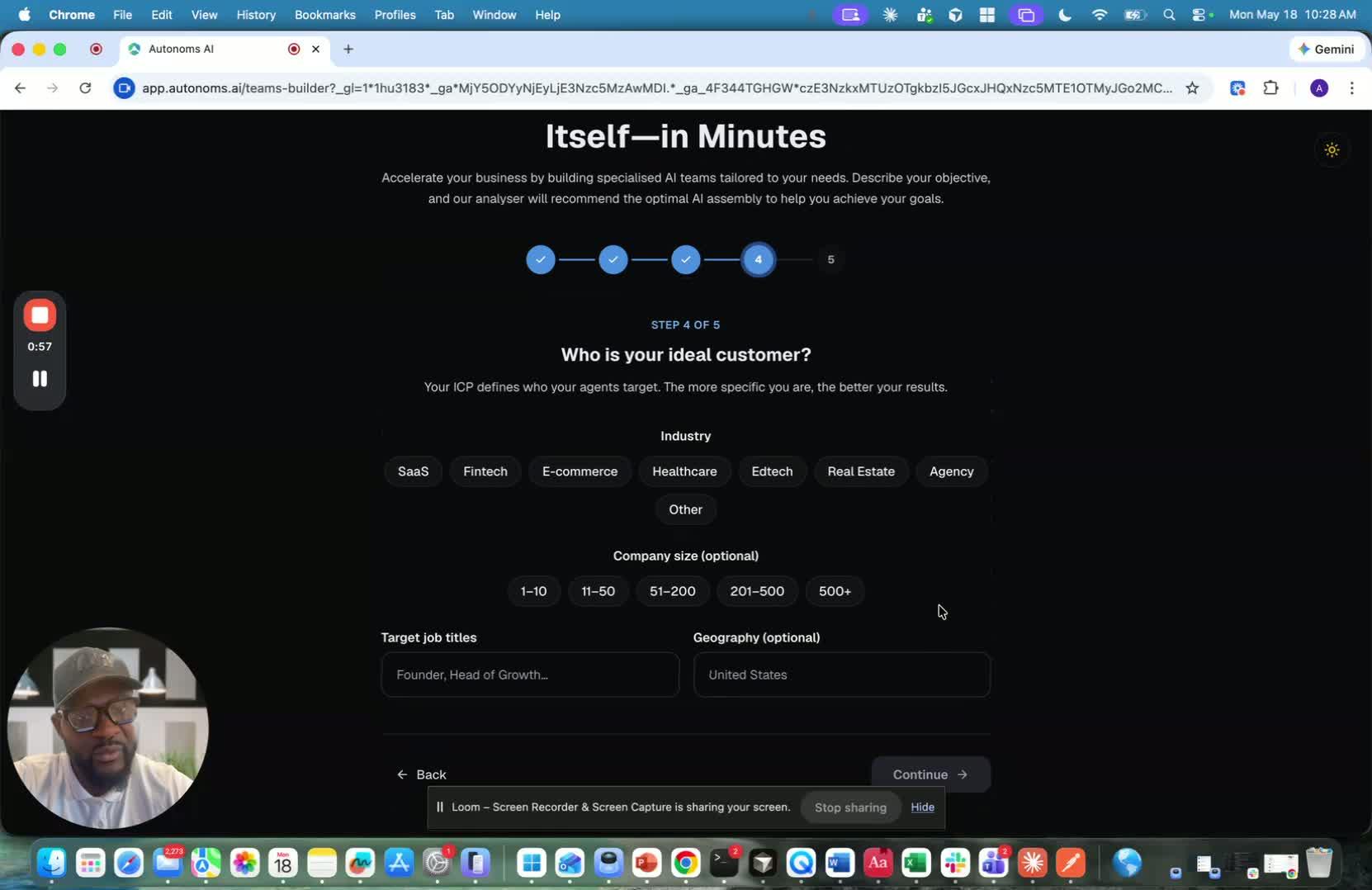
- Choose your industry, such as Agency.
- Enter your company size or order size if prompted.
- Add your target audience, for example:
- C-suite
- Executives
- Marketing leaders
- Growth leaders
- VDRs
- Set your geography, such as United States, or change it if needed.
3. Understand which fields are optional 1:26
generated-image-at-00:01:26
- Most onboarding fields are optional.
- You do not need to fill in every detail manually.
- The system can infer a lot of the setup from your industry, landscape, and market context.
- Because the platform is AI-driven, it can adapt based on what makes sense for your business.
4. Decide whether to run deep research 1:51
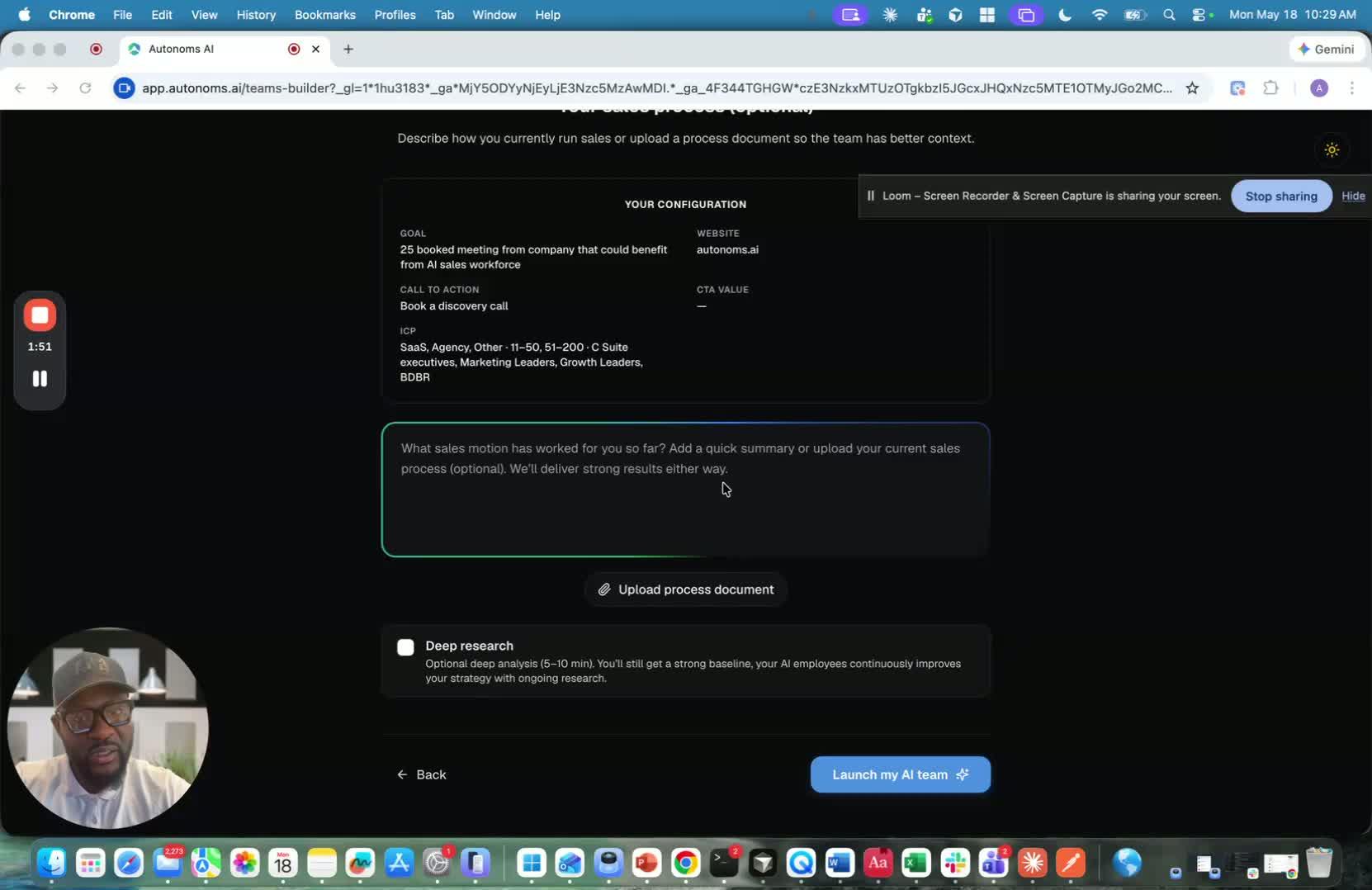
- Choose deep research if you want a more detailed setup.
- Deep research takes about 5 minutes.
- It gathers context such as:
- At least 10 competitors
- Competitor data and growth trajectory
- Messaging patterns
- Other in-depth market context
- This is useful when you want the system to create a highly contextual first recommendation.
5. Use the research to improve the first recommendation 2:19
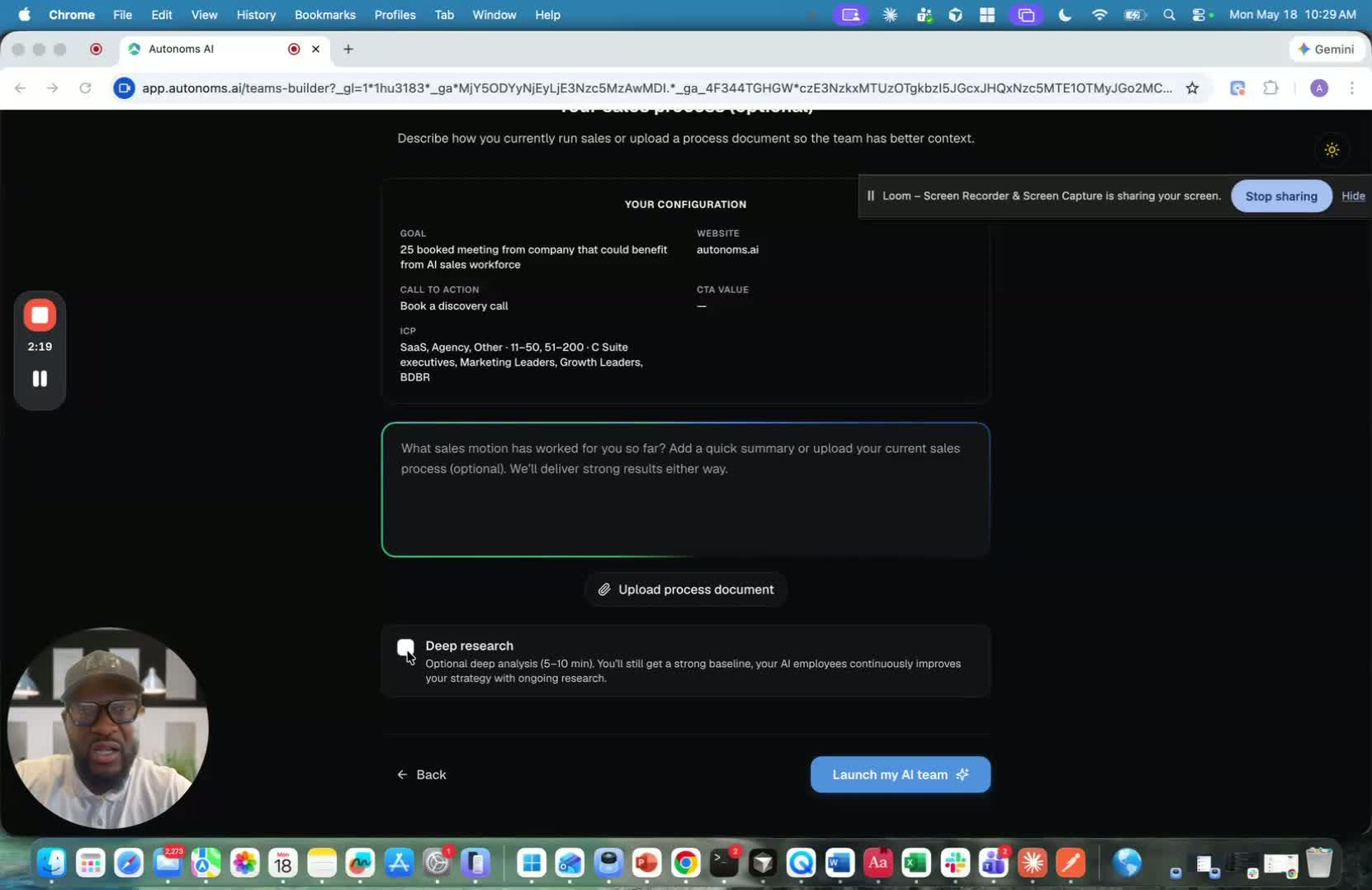
- The goal of collecting this information is to help the platform generate a strong first recommendation.
- The more context it has, the better it can personalize the workspace and agent setup from day one.
- This helps the agent start with enough background to do its job effectively.
6. Let the AI onboarding process run 2:37
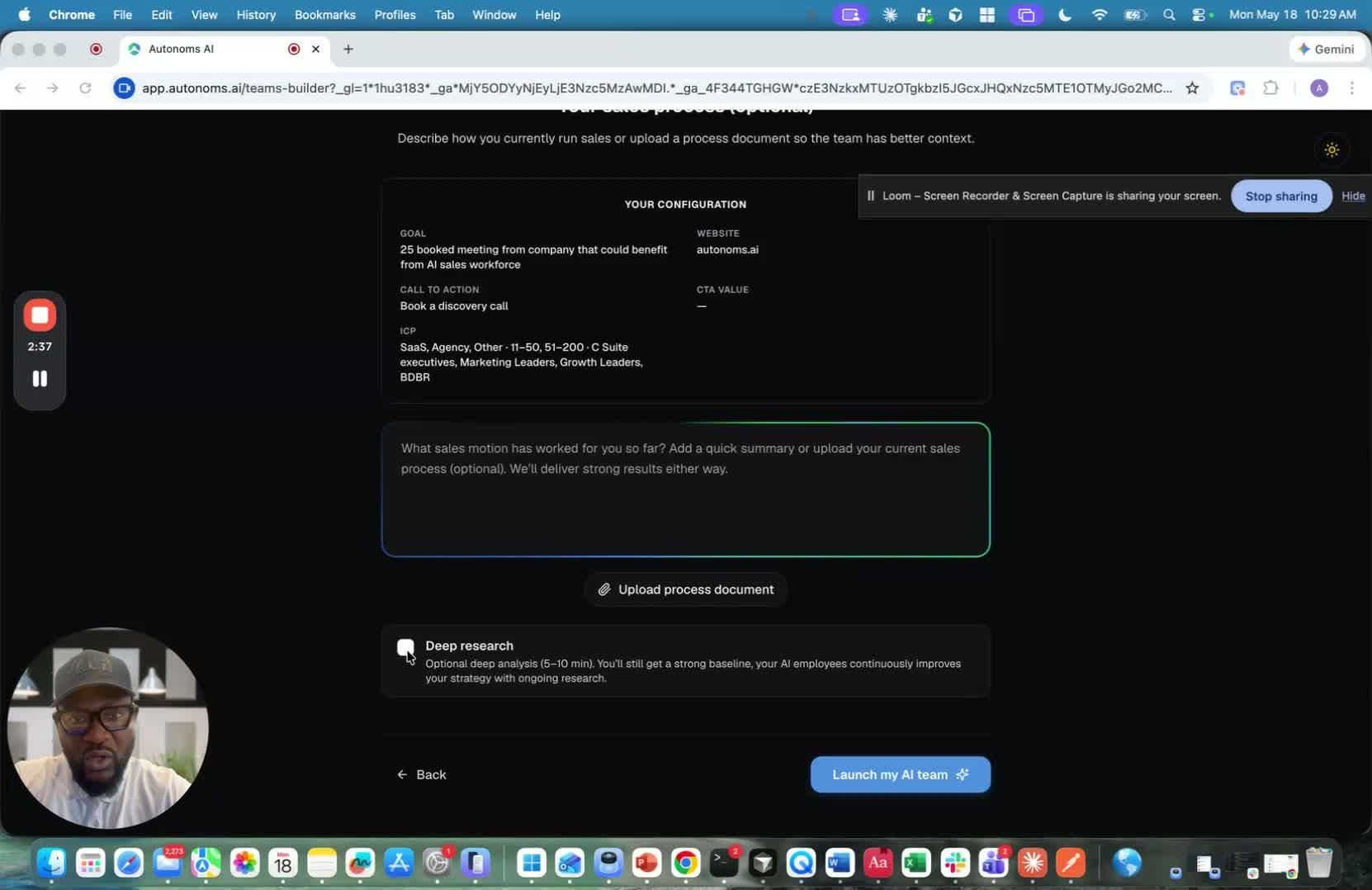
- If you skip deep research, the setup usually takes only 1–2 minutes.
- Once started, the platform runs the onboarding process automatically.
- You can pause and wait while the system gathers the needed information.
7. Understand what the autonomous platform is doing in the background 3:02
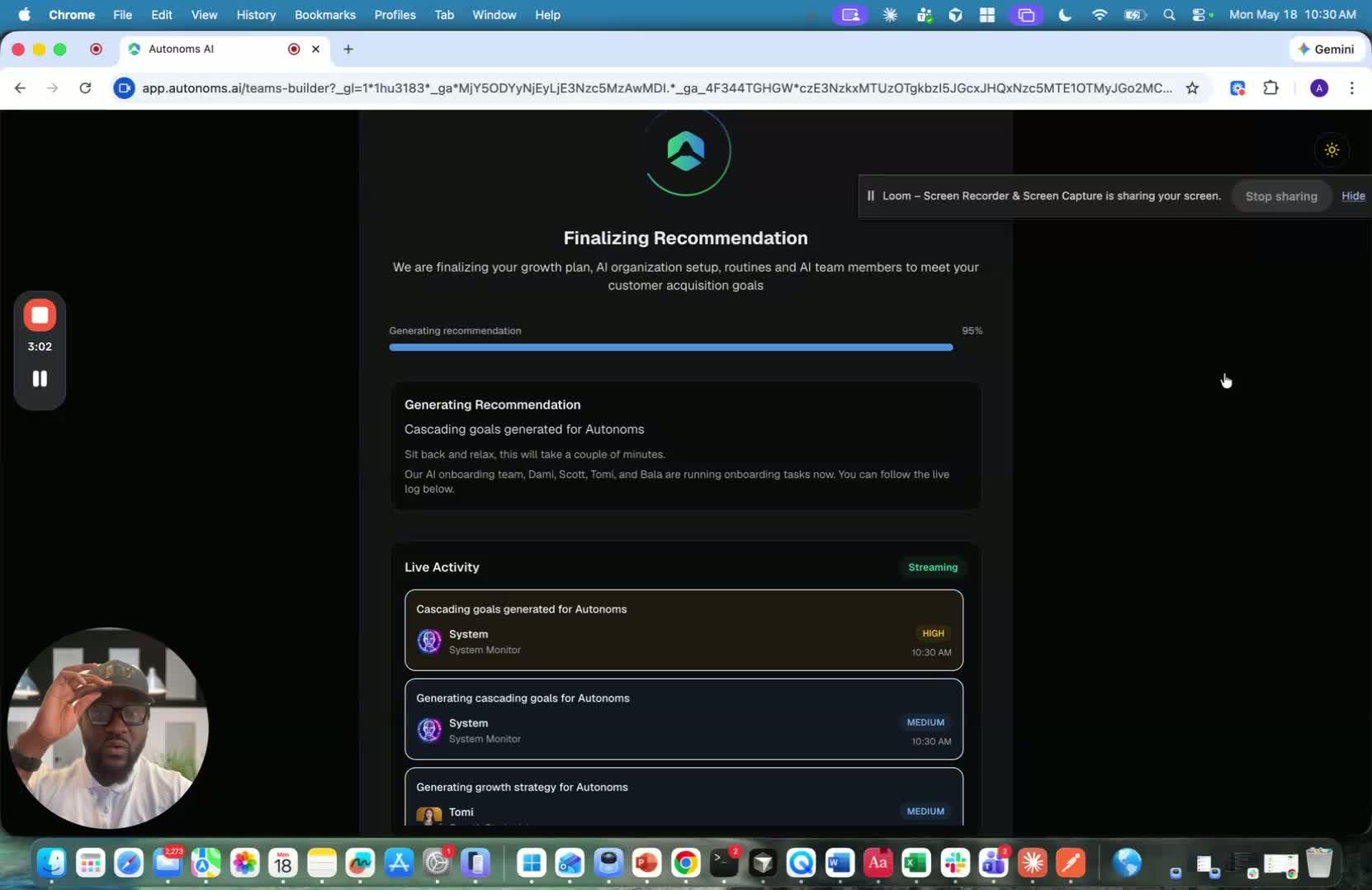
- The platform uses AI agents to handle onboarding and recommendations.
- An onboarding team is working to:
- Collect answers
- Figure out workspace setup
- Apply personalization and context
- You may see logs showing activity from AI team members, such as competitor analysis.
- The system may also visit and scrape your website to gather additional information.
Link to Loom
Cautionary Notes
- Do not overfill optional onboarding fields unless the information is accurate and useful.
- Ensure the selected primary call to action matches the actual business objective; incorrect selection can reduce recommendation quality.
- Deep research may take several minutes, so avoid interrupting the process before it completes.
- If the website or competitor data appears incomplete, do not proceed with deployment until the issue is resolved.
Tips for Efficiency
- Use the closest matching CTA option instead of searching for a perfect fit when time is limited.
- Keep target audience and geography inputs concise and specific to improve AI output.
- Run deep research only when you need richer context for a new or complex account.
- Watch the logs during onboarding so you can catch issues early instead of reworking the setup later.